- Windows 11 CSV (.csv), JSON (.json), Excel (.xlsx, .xls), OpenDocument Spreadsheet Calc (.ods) simple file viewer
* Version : 0.1.5
* Release date : 2026-03-27 [Y-M-D]
* This is an older version. Please refer to the link below for the latest version.
- NSIS installer version
(v 0.2.1) http://dasom.net/452 or https://gangserver.tistory.com/452
- Portable version
(v 0.1.9) http://dasom.net/448 or https://gangserver.tistory.com/448
This is a csv, json, excel and (LibreOffice/OpenOffice) calc file viewer developed using (pandas + PyQt5 + pyinstaller).
Due to the 20MB file size limit, the attachment has been compressed into separate files.
(FileViewer.zip.001, FileViewer.zip.002, FileViewer.zip.003, FileViewer.zip.004)
After downloading, unzip the FileViewer.zip.001 file using 7zip (https://7-zip.org) or similar software.
This will create the FileViewer.exe executable file.
Run this file in Windows Explorer.
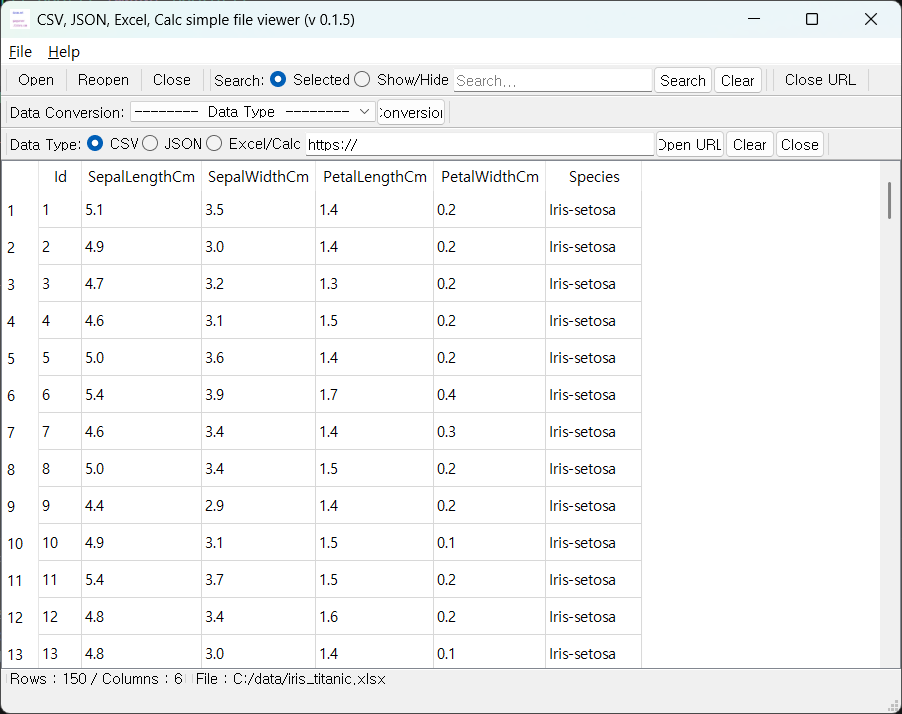
[ Running screen ]
* The first line of data is used as the column header name.
* Currently, this program only processes (can be viewed) data from the first sheet of Excel/Calc files.
FileViewer.exe (v 0.1.5) file sha256 hash value : 1b72362c364107c4c6b9ee2c5fede8d691b3e68ae74e0f5131e67e469b56b8b7
* To check the SHA256 hash of a file in Windows 11,
use the PowerShell command Get-FileHash <file_path> -Algorithm SHA256.
Alternatively, use certutil -hashfile <file_path> SHA256 in Command Prompt.
[ Command Prompt ]
C:\Users\gangserver\Downloads>certutil -hashfile FileViewer.exe SHA256
SHA256의 FileViewer.exe 해시:
1b72362c364107c4c6b9ee2c5fede8d691b3e68ae74e0f5131e67e469b56b8b7
CertUtil: -hashfile 명령이 성공적으로 완료되었습니다.
[ PowerShell ]
PS C:\Users\gangserver\Downloads> Get-FileHash FileViewer.exe -Algorithm SHA256
Algorithm Hash Path
--------- ---- ----
SHA256 1B72362C364107C4C6B9EE2C5FEDE8D691B3E68AE74E0F5131E67E469B56B8B7 C:\Users\gangserver\Downloads\FileViewe...
* If an error occurs when running a file on Windows, please refer to the information below.
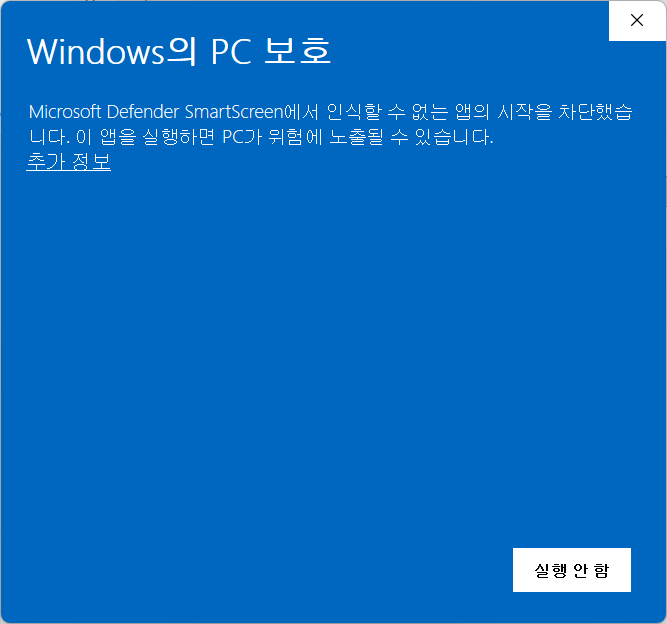
We used to have to, upon downloading a file from another computer, go to the file's Properties and then go to the General page t
Before we could use a downloaded file (from another computer), we were required to right-click on the file, select Properties and the General. We were told this was a security measure to help protect you computer from malware sneaking onto your computer…
learn.microsoft.com
[ Development environment ]
python : 3.13.x
pandas : 3.0.1
openpyxl : 3.1.5
xlrd : 2.0.2
odfpy : 1.4.1
python-calamine : 0.6.2
PyQt5 : 5.15.11
pyinstaller : 6.19.0
[ Version history ]
0.1.5 (2026-03-27 [Y-M-D])
- Unify local file and URL open data loading
- Added data conversion function
- Change to Calamine engine when opening Excel/Calc files
0.1.4 (2026-03-23 [Y-M-D])
- Added a view feature using a URL
- Add JSON data type
0.1.3 (2026-03-16 [Y-M-D])
- Data is processed using "UTF-8" encoding by default when loading,
but if it fails, it is additionally processed using "CP949" encoding.
- Partial modification to reduce data processing speed.
0.1.2 (2026-03-08 [Y-M-D])
- Added search function
0.1.1 (2026-03-04 [Y-M-D])
- Add a toolbar
0.1.0 (2026-03-02 [Y-M-D])
- Initial version