[ Error ]
gangserver@NT200B5C-A22R:~/Download$ sudo dpkg -i balena-etcher_1.19.21_amd64.deb
[sudo] gangserver 암호:
Selecting previously unselected package balena-etcher.
(데이터베이스 읽는중 ...현재 241454개의 파일과 디렉터리가 설치되어 있습니다.)
Preparing to unpack balena-etcher_1.19.21_amd64.deb ...
Unpacking balena-etcher (1.19.21) ...
dpkg: 종속성 문제로 balena-etcher의 구성이 차단되었습니다:
balena-etcher 패키지는 다음 패키지에 의존: gconf-service: 하지만:
gconf-service 패키지는 설치하지 않았습니다.
balena-etcher 패키지는 다음 패키지에 의존: gconf2: 하지만:
gconf2 패키지는 설치하지 않았습니다.
balena-etcher 패키지는 다음 패키지에 의존: libgconf-2-4: 하지만:
libgconf-2-4 패키지는 설치하지 않았습니다.
balena-etcher 패키지는 다음 패키지에 의존: libgdk-pixbuf2.0-0: 하지만:
libgdk-pixbuf2.0-0 패키지는 설치하지 않았습니다.
dpkg: error processing package balena-etcher (--install):
의존성 문제 - 설정하지 않고 남겨둠
Processing triggers for gnome-menus (3.36.0-1.1ubuntu3) ...
Processing triggers for desktop-file-utils (0.27-2build1) ...
처리하는데 오류가 발생했습니다:
balena-etcher
[ Solution ]
1. Download the zip file(ex, balenaEtcher-darwin-x64-1.19.21.zip) and run it
1.1 Download the ᅟbalena-etcher zip file
https://github.com/balena-io/etcher/releases/
Releases · balena-io/etcher
Flash OS images to SD cards & USB drives, safely and easily. - balena-io/etcher
github.com
file name : balenaEtcher-linux-x64-x.xx.xx.zip (ex, balenaEtcher-linux-x64-1.19.21.zip)
1.2 Move to download directory and unzip zip file.
gangserver@NT200B5C-A22R:~$ cd Download
gangserver@NT200B5C-A22R:~/Download$ unzip balenaEtcher-linux-x64-1.19.21.zip
Archive: balenaEtcher-linux-x64-1.19.21.zip
creating: balenaEtcher-linux-x64/
(... Log omitted ...)
finishing deferred symbolic links:
balenaEtcher-linux-x64/balenaEtcher -> /home/runner/work/etcher/etcher/out/balenaEtcher-linux-x64/balena-etcher
[ Move unzip directory ]
gangserver@NT200B5C-A22R:~/Download$ cd balenaEtcher-linux-x64
[ Error when running balena-etcher file ]
gangserver@NT200B5C-A22R:~/Download/balenaEtcher-linux-x64$ ./balena-etcher
[12754:0813/223957.799095:FATAL:setuid_sandbox_host.cc(158)] The SUID sandbox helper binary was found, but is not configured correctly. Rather than run without sandboxing I'm aborting now. You need to make sure that /home/gangserver/down/balenaEtcher-linux-x64/chrome-sandbox is owned by root and has mode 4755.
추적/중단점 함정 (코어 덤프됨)
gangserver@NT200B5C-A22R:~/Download/balenaEtcher-linux-x64$ ls -al
합계 225080
drwx------ 4 gangserver gangserver 4096 5월 30 23:42 ./
drwxrwxr-x 5 gangserver gangserver 4096 8월 13 22:32 ../
...
-rwxr-xr-x 1 gangserver gangserver 54248 5월 30 23:42 chrome-sandbox*
...
[ Change chrome-sandbox file permissions ]
$ sudo chown root:root chrome-sandbox
$ sudo chmod 4755 chrome-sandbox
gangserver@NT200B5C-A22R:~/Download/balenaEtcher-linux-x64$ ls -al
합계 225080
drwx------ 4 gangserver gangserver 4096 5월 30 23:42 ./
drwxrwxr-x 5 gangserver gangserver 4096 8월 13 22:32 ../
...
-rwsr-xr-x 1 root root 54248 5월 30 23:42 chrome-sandbox*
...
[ Run the balena-etcher file ]
$ ./balena-etcher
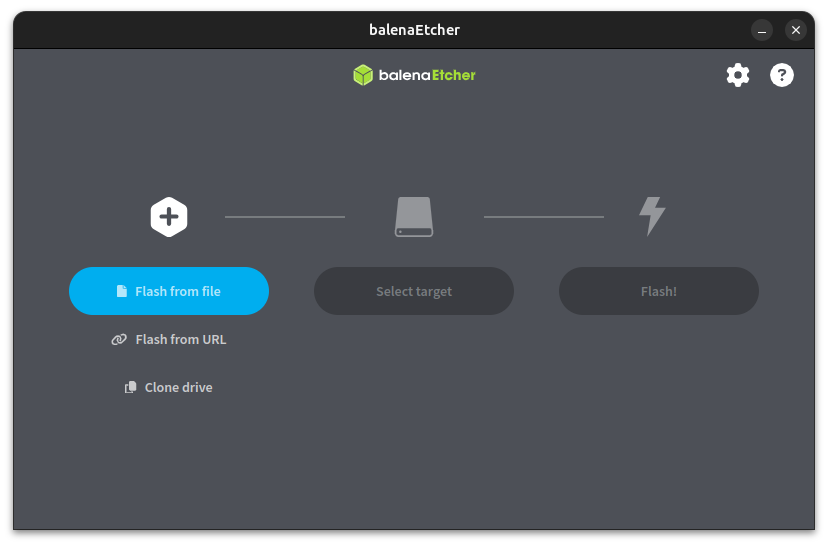
[ Run chrome-sandbox file without changing permissions ]
gangserver@NT200B5C-A22R:~/down/balenaEtcher-linux-x64$ ls -al
합계 225080
drwx------ 4 gangserver gangserver 4096 5월 30 23:42 ./
drwxrwxr-x 5 gangserver gangserver 4096 8월 13 22:32 ../
...
-rwxr-xr-x 1 gangserver gangserver 54248 5월 30 23:42 chrome-sandbox*
...
- Add --no-sandbox option to run
$ ./balena-etcher --no-sandbox
2. Download the AppImage file(ex, balenaEtcher-1.19.21-x64.AppImage) and run it
2.1 Download the ᅟbalena-etcher AppImage file
https://github.com/balena-io/etcher/releases/
Releases · balena-io/etcher
Flash OS images to SD cards & USB drives, safely and easily. - balena-io/etcher
github.com
2.2 [ Run the balena-etcher AppImage file ]
$ ./balenaEtcher-1.19.21-x64.AppImage
'OS > Ubuntu' 카테고리의 다른 글
| Ubuntu 24.04 python3-setuptools install (0) | 2024.08.21 |
|---|---|
| Ubuntu 24.04 python3-nmap install and test (0) | 2024.08.21 |
| VMware Workstation Player 17.5.2 download (0) | 2024.07.21 |
| Ubuntu 24.04 VMware Workstation Player 17.5.1 Install error (0) | 2024.07.21 |
| Ubuntu 24.04 gparted install (0) | 2024.07.20 |